What is Task Management Software? A Simple Guide for Teams
If you have ever felt like your workday is completely chaotic, you are not alone. Between endless emails, messy chat groups, and lost sticky notes, it is incredibly easy to lose track of what your team is actually supposed to be working on.
When communication scatters, deadlines get missed, team members get stressed, and businesses lose money.
This is exactly why growing businesses use dedicated software to keep their workflows organized. But what exactly is it, what features should you look for, and how do you pick the right one without giving your team a massive headache? Let’s break it down in plain, simple English.
What Exactly is Task Management Software?
At its simplest, task management software for teams is a digital workspace that helps you organize, track, and complete your daily work from start to finish.
Think of it as the ultimate digital evolution of the traditional office whiteboard. Instead of guessing who is doing what, everyone on the team can log into one central place to see their assignments, check due dates, and update their progress in real-time.
Rather than looking at a project as one massive, overwhelming goal, this software breaks the project down into individual, bite-sized tasks. It bridges the gap between high-level planning and daily execution.
Must-Have Features: What a Great Task Tool Should Have
When you are looking for an easy way to track team tasks, you do not need hundreds of confusing buttons or advanced charts. A good, human-friendly tool only needs a few essential features to get the job done right:
1. Fast Task Creation and Assignment
You should be able to create a task card in two seconds. A good tool lets you give the task a clear title, add a brief description, and assign it to a specific person. When a task has one clear owner, there is zero confusion about who is responsible for shipping the work.
2. Clear Due Dates and Automatic Reminders
A tool must let you set firm deadlines. More importantly, it should do the administrative remembering for you. The software should automatically remind team members when a due date is coming up so crucial tasks never accidentally fall through the cracks.
3. Multiple Workflow Views: List, Board, and Calendar
Different minds process information differently, which is why flexibility matters.
- List View: A clean, linear checklist that is perfect for crushing daily tasks sequentially.
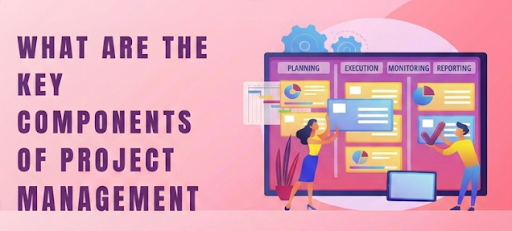
- Kanban Board: A visual layout where you drag cards across columns like To Do, In Progress, and Done. This is highly popular for software development and design sprints.
- Calendar View: A traditional monthly grid that allows managers to map out deadlines and look at the big picture.
4. Task-Centric Chat and File Sharing
You should never have to switch between three different apps just to ask a quick question about a project. A great system lets you leave comments, ask for feedback, and attach documents or design assets directly inside the specific task card itself. This keeps all the history and context in one single place.
Red Flags: What a Task Tool Should Not Have
More features do not equal a better tool. In fact, heavy corporate software usually makes teams slower and less productive. If you want your team to actually use the software, keep an eye out for these common red flags:
- Over-Complicated Setup If your team requires a multi-week training course or an expensive consultant just to figure out how to view their tasks, the software is simply too bloated.
- Required Fields Overload Forcing a team member to fill out ten different dropdown menus, categories, and priority tags just to create a basic task causes update fatigue. Eventually, your team will stop tracking their work entirely.
- Confusing Navigation If a manager has to click through five different hidden sub-menus just to check if a feature is ready for review, the tool has failed at its main job: keeping work transparent.
How to Organize Team Projects Without Spreadsheets or Group Chats
When a business is just starting out, it is tempting to rely on basic spreadsheets or continuous group chat threads to manage daily operations. While this might work for two people, it breaks down rapidly as soon as you add more team members:
- The Spreadsheet Problem Spreadsheets get outdated instantly. Someone forgets to update a row, or two people edit the document at the same time, and suddenly no one knows which version represents the true status of the project.
- The Group Chat Problem Group chats move way too fast. If you assign an important task in the middle of a busy chat channel, it gets completely buried under dozens of other messages within an hour.
A dedicated task tool acts as a permanent anchor. The work stays visible, organized, and tracked where everyone can see it until it is officially marked as finished.
The Story Behind Teamix: Built by Creators
We run a custom software engineering house called Leo Tech Solutions. Because we build complex web and mobile apps for a living, our team has tried almost every major project management tool on the market over the last several years.
Honestly? We got incredibly tired of how slow, heavy, and frustrating most of them were. Our senior developers were spending more time trying to manage the tracking software than actually coding and building products for our clients.
So, we decided to use our engineering background to build our own solution:Teamix.
We engineered Teamix to be the best simple project manager for independent creators, growing teams, and software houses who absolutely hate clutter.
We kept all the vital, high-value features—like rapid task assignment, visual Kanban boards, and seamless file sharing—and threw away all the unnecessary corporate bloat.
It is a clean, lightweight system built by real creators who just want to get things done without the headache.
Ready to Simplify Your Daily Workflow?
If you are tired of fighting with messy spreadsheets, lost files, and confusing apps, give your team a simpler way to collaborate. [Try Teamix for free today] and see how easy project tracking can be.